
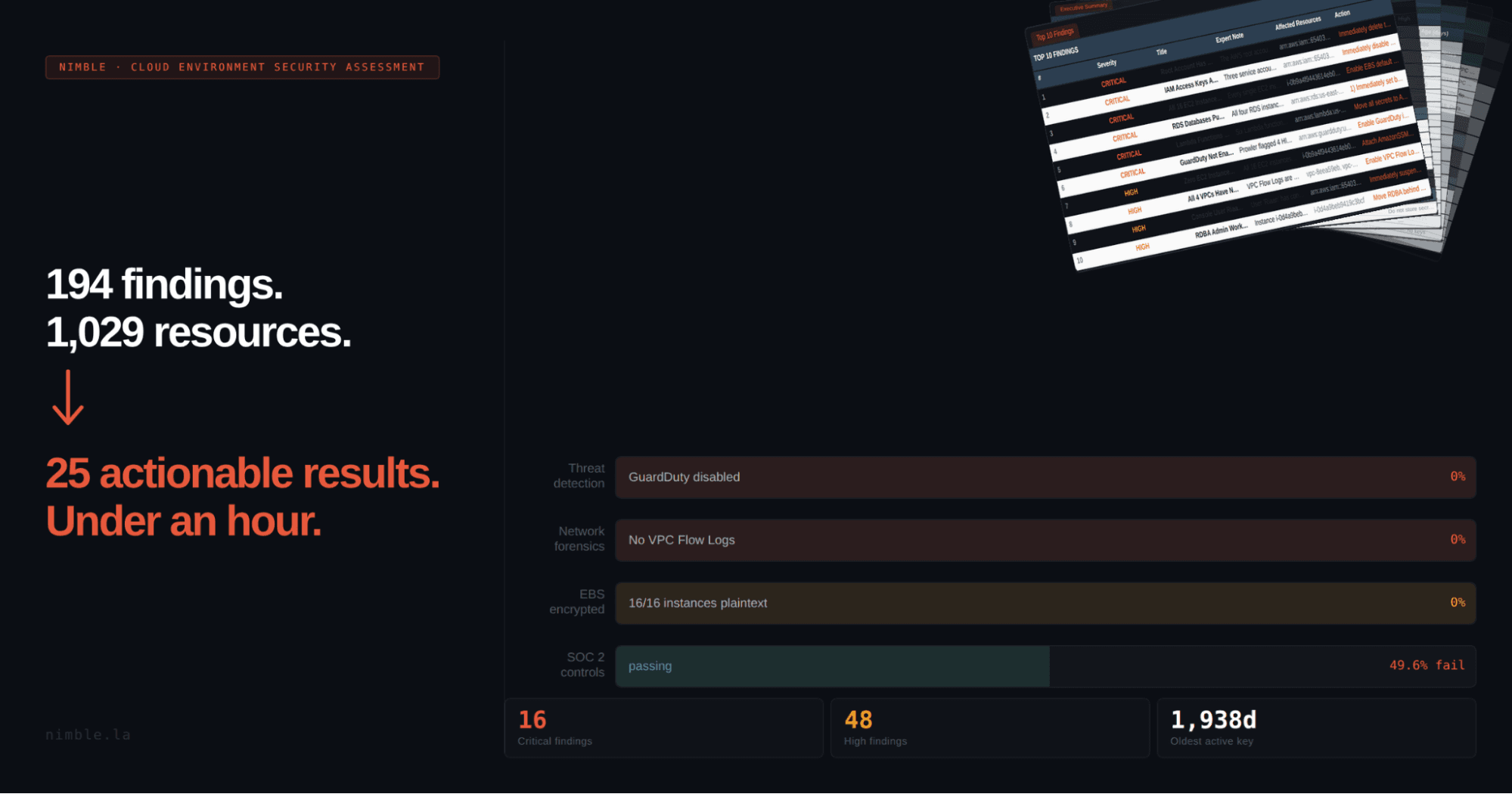
Prowler and Security Hub are excellent collection tools. What they produce is data. What your team needs is expert-annotated intelligence, architectural context, and an action plan they can actually use.
You Ran the Scan, and Now You're Stuck With Hundreds of Findings
Your team ran Prowler, or maybe AWS Security Hub has been running in the background for months. Either way, you're staring at somewhere between 200 and 400 findings, sorted by severity, spread across IAM, EC2, RDS, VPC, CloudTrail, and half a dozen other services.
Now the real work begins, the work that nobody wants to talk about or do.
Someone has to figure out which findings actually matter, which ones combine into something far worse than any single item suggests, which HIGH is on a decommissioned staging environment, and which MEDIUM is on a production database serving live customer data. Then someone has to turn all of that into an executive summary your leadership can read, a SOC2 gap narrative your auditor can use, and a prioritized action plan your team can actually execute.
That someone is usually a senior engineer. And it usually takes days.
We built a pipeline that does it in under an hour. The pipeline does the heavy lifting. Our engineers do the final review and deliver it.
Cloud Environment Security Assessment. Only from Nimble.
Collection Is Not the Problem
We use Prowler and AWS Security Hub. Both of them.
Prowler runs approximately 240 automated checks across CIS benchmark controls, SOC2 Trust Service Criteria, and PCI-DSS mappings. AWS Security Hub aggregates findings across your AWS services (GuardDuty, Inspector, Macie) and scores your posture against the same frameworks. They're the collection layer in our pipeline, and they're good at it.
The problem was never collection. The problem is what happens after collection ends.
Prowler gives you a list. Each finding has a severity label (CRITICAL, HIGH, MEDIUM, LOW) assigned based on the technical nature of the check, not the context of your environment. A MEDIUM finding on a public-facing production database serving 50,000 users looks identical to a MEDIUM finding on a dev instance nobody has touched in eight months. They're both MEDIUM. The tool was never designed to tell the difference.
Security Hub gives you a score and a dashboard, useful for ongoing monitoring. What neither tool does is interpret the data, detect the architectural patterns that create real exposure, or organize findings into something an engineering team can act on without another week of analysis.
The gap between "data collected" and "risk understood" is where manual assessment time goes. It's also where most assessments lose their value. The Cloud Environment Security Assessment pipeline is built specifically to close that gap.
What the Intelligence Layer Actually Does
The core of what we built is a transformation layer that sits on top of the collection tools. It does three things that raw tooling cannot.
Compounding Risk Analysis
Imagine an EC2 instance with four separate findings in Prowler's output: a public IP address, an unencrypted EBS volume, a legacy operating system past the end of support, and no SSM agent configured. Four separate medium-severity findings, scattered across four different sections of the report. In reality, that's a single compounded critical risk. An attacker who reaches that instance via the public exposure finds unencrypted data running on an OS that won't receive security patches, with no management channel to push emergency controls. Standard tooling reports each finding independently because that's what it's designed to do. Our analysis layer connects them, escalates the combined severity, and surfaces the actual exposure.
Architectural Pattern Detection
Individual findings are one thing. Architectural patterns are another. When the same misconfiguration appears across multiple services in a consistent way, it signals something systemic, a gap in how the environment was built, not just a one-off oversight. Catching that at the finding level means treating symptoms. Catching it at the architectural level means fixing the root cause. Our pipeline is designed to surface both.
Expert Annotation and Organized Action Points
Every finding gets annotated with account-specific context. Severity scores are reranked based on actual business impact, not just the scanner's default model. And the output is organized into action points your engineering team can execute against directly, without another round of interpretation. The deliverable is designed to be useful not just on the day you receive it, but also the next time you run an assessment, so you can track posture changes over time.
How the Cloud Environment Security Assessment Works
The full Cloud Environment Security Assessment pipeline runs five phases. Phases 1 through 3 are data collection: AWS Resource Explorer inventories every resource in the account, Prowler executes its full suite of ~240 security checks, and native AWS API collectors gather deeper context on IAM users and policies, EC2 instances, database configurations, ECS and EKS clusters, and network topology. Everything is normalized into a single dataset, providing a coherent view of your account's security posture.
Phase 4 is the assessment layer. The analysis runs across the full normalized dataset, identifies compounding risks, annotates findings with your specific account context, and produces three things that raw tooling cannot: an executive summary readable by your leadership team, a SOC2 gap narrative mapped to Trust Service Criteria and ready for your auditor, and a prioritized remediation plan ordered by actual business impact. (Not a sorted CSV. A judgment call backed by your specific account context.)
Phase 5 renders the output into an 11-sheet Excel workbook and a full narrative report, structured for direct use, not for further interpretation.
The whole process requires only read-only AWS credentials. No write access, no agent installation, no changes to your environment.
Start to finish: under an hour.
Deliverables
Executive Summary
A clear, non-technical view of your security posture. Your CTO, CISO, or board member can read it without a translator.
Compounding Risk Analysis
The findings that individually look manageable but together represent serious exposure are surfaced and escalated appropriately.
SOC2 Gap Narrative
Your findings mapped to Trust Service Criteria with explanations your auditor can act on. If you're heading into a SOC2 engagement, this is the starting point your team would otherwise spend days building manually.
Prioritized Remediation Plan
What to fix first, ranked by actual business impact.
Full Findings Workbook
The complete annotated inventory across all services, formatted for your engineering team to execute against.
Why We Built This Assessment
We built this pipeline to solve a real delivery problem with our clients. Manual AWS security assessments were expensive, slow, and inconsistent; the quality of the output depended heavily on who ran them. Now that the pipeline is built and the output is consistently strong, it's become one of the most effective ways we know to start a relationship with an engineering team.
If your AWS environment has real security gaps, the Cloud Environment Security Assessment will surface them clearly. If you're already in good shape, you'll have documentation to prove it. Either way, you walk away with something useful.
If what we surface is something your team wants help addressing, whether that's a remediation sprint, SOC2 readiness work, or ongoing infrastructure governance, we're glad to talk about it. But the assessment stands on its own regardless.
Get Your AWS Security Assessment
Read-only credentials, under an hour, full deliverable. We run the Cloud Environment Security Assessment and walk you through the findings.